In this tutorial we will show you magento 2 install theme manually tutorials. Please follow these below steps, we make sure that this guide is worthy for you.
Step 1:
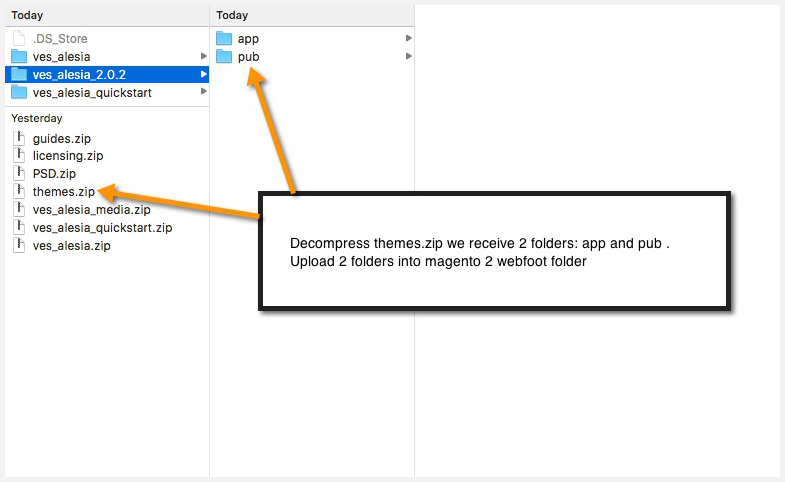
Extract the file which named the file “themes.zip”. For example: ves_alesia_2.0.2.
Then upload it into webroot folder(which you set up magento 2 before)
Step 2:
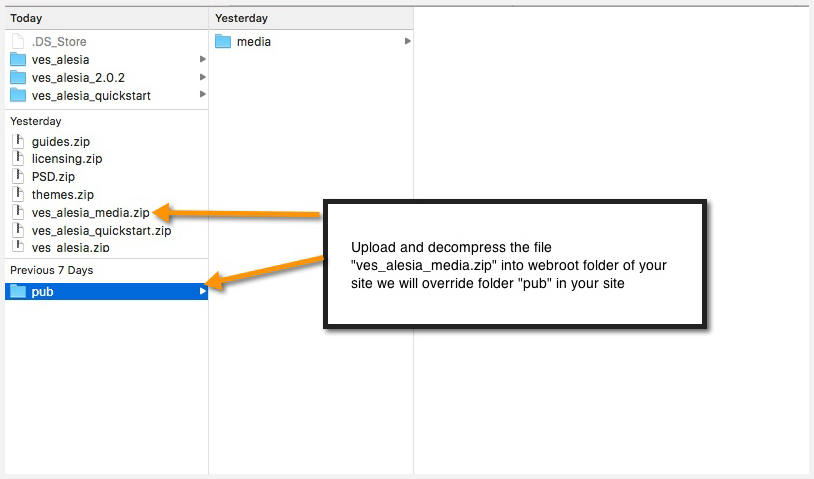
Extract the file ves_alesia_media.zip and upload it into webroot folder.
Step 3:
Please go to your site. It will require you run command code to setup upgrade.
Step 4:
Run the command codes in terminal (SSH)
php bin/magento setup:upgrade –keep-generated
php bin/magento setup:static-content:deploy
Step 5:
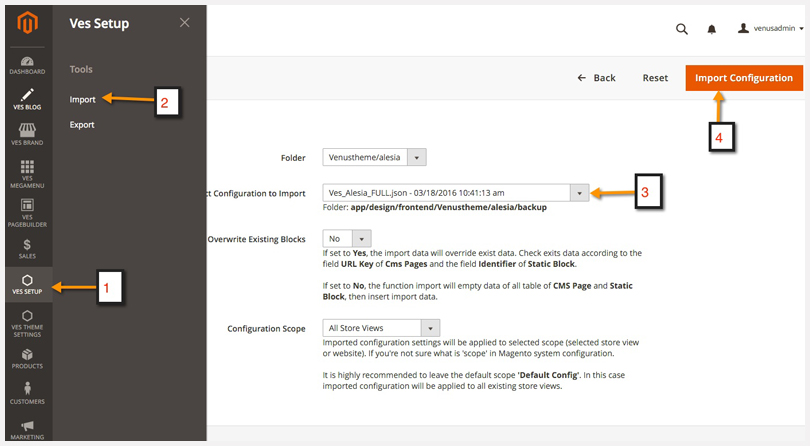
In the next step, please go to admin panel >> Ves Setup >> Import >> Choose profile “Ves_alesia_FULL.json” then click on install configuration button.
Step6:
Choose default theme
Next, Go to admin >> Stores >> Configuration >> General >> Design >> Choose design theme “Venustheme – alesia”
Step 7:
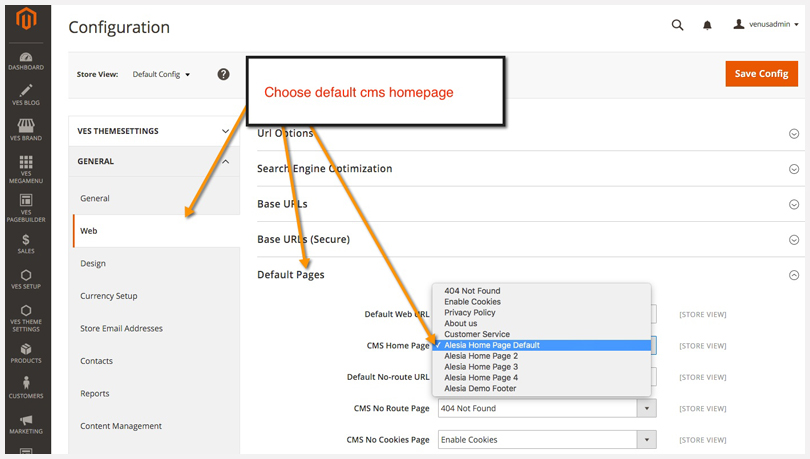
Go to admin panel >> Stores >> Configuration >> General >> Web >> Default Pages >> Choose default cms homepage.
Table of Contents
Compare 12 custom software development companies with proven EdTech delivery, from LMS migrations to AI-powered…
Factories everywhere are running a tighter game. Post-2023 supply-chain whiplash, relentless cost pressure, and a…
Picture this: a business rushes into a platform decision based on what a competitor was…
The software development landscape has changed at an accelerated rate in the last ten years,…
Imagine walking into a store where the aisles are a maze, the lighting is dim,…
Product videos have become one of the most effective tools for helping online shoppers make…